· web development · 11 min read
Astro vs WordPress in 2026: Performance, SEO & Cost Compared (With Real Numbers)
Astro vs WordPress in 2026: page speed, SEO, hosting cost, plugin security and editor experience compared with real benchmarks from live UK sites. Full guide.
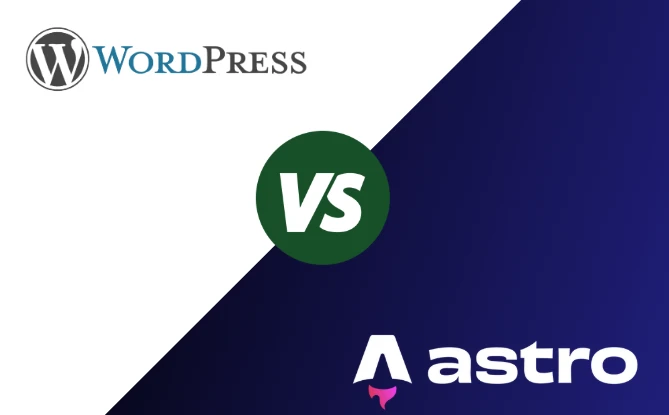
If your website exists mainly to market your business — to explain what you do, persuade visitors and rank on Google — Astro will almost always beat WordPress on speed, running cost and security. If your business depends on daily publishing by non-technical editors, or on WordPress-specific tooling such as WooCommerce, WordPress can still be the right call. This guide sets out the evidence for both, including real figures from a recent client migration, so you can decide properly.
Why this comparison matters in 2026
WordPress still powers a very large share of the web — around forty per cent of all sites by most published surveys — and that dominance is precisely why so many UK business websites are slower than they need to be. Most were built years ago on themes and plugins chosen for convenience, and they now carry the accumulated weight of those choices: page builders, sliders, form plugins, analytics plugins, and security plugins installed to patch the risks the other plugins created.
Astro takes the opposite approach. It generates plain, static HTML at build time and ships no JavaScript to the browser unless a specific component genuinely needs it. There is no PHP runtime, no database query on every page view, and no plugin stack demanding weekly updates. For content and marketing sites — the category most SME websites fall into — that architectural difference shows up directly in load times, hosting bills and maintenance overhead.
Neither platform is better in the abstract. They are better at different jobs, and the honest way to choose is to work out which job your website is actually doing.
When WordPress is the right choice
It would be convenient for us to declare Astro the winner in every category. It is not, and pretending otherwise pushes businesses onto the wrong platform. WordPress remains a sensible choice when:
- Your team publishes constantly. If several non-technical editors add or update content daily — news, listings, long-form articles with complex layouts — the WordPress admin is a mature, familiar tool. Astro can match this with a headless CMS, but if the WordPress editorial workflow already works for your team, that familiarity has real value.
- You run a complex WooCommerce store. For stores with large catalogues, bundled products, subscriptions, or deep integrations with stock and fulfilment systems, WooCommerce’s ecosystem is difficult to replicate quickly. (There is a middle path here, covered in the migration section below.)
- You depend on specific plugins. Membership systems, booking engines, LMS platforms and directory plugins represent years of accumulated functionality. Rebuilding them from scratch may not be worth it if they are genuinely serving you well.
- You need the cheapest possible start. A theme-based WordPress site can be assembled quickly and cheaply. If the budget is minimal and the site’s performance is not commercially important yet, that can be a rational trade-off — as long as you go in knowing the running costs that follow.
- You want the largest possible talent pool. Almost every web freelancer and studio in the UK can work on WordPress. That ubiquity reduces supplier risk.
One more point of fairness: a well-maintained WordPress site on good managed hosting, with disciplined plugin choices and proper caching, can perform respectably. The problem is not that WordPress cannot be made fast. It is that keeping it fast and secure is a continuous, paid-for effort — whereas with Astro it is the default state.
When Astro wins
Astro is the stronger choice for the majority of business marketing sites — the 5 to 50-page sites that exist to generate enquiries:
- Performance is built in, not bolted on. Astro pre-renders pages to static HTML and only hydrates the interactive parts. There is no caching plugin to configure and no optimisation retainer to pay, because there is nothing slow to optimise around.
- Security by architecture. Static HTML has no PHP runtime, no database and no plugin attack surface. The bulk of common WordPress exploits — vulnerable plugins, brute-force login attempts, SQL injection — simply have nothing to attack.
- Hosting costs collapse. A static Astro site runs on Cloudflare Pages, Netlify or Vercel for little or nothing per month, compared with managed WordPress hosting at £30–£200+ per month.
- Maintenance drops to near zero. No weekly plugin updates, no compatibility conflicts after a core release, no emergency patching. Dependency updates are handled at build time, on your schedule.
- Editors are still catered for. Pairing Astro with a headless CMS such as Sanity, Contentful or DecapCMS gives non-technical staff a clean editing interface, without dragging the whole rendering stack along with it.
We build Astro sites as a core service — you can see how we approach it on our Astro website development page.
Performance: real numbers, not adjectives
The most useful performance evidence is not a synthetic benchmark but a production result. The figures below are from a recent client migration we carried out — a UK mortgage broker whose WordPress site we rebuilt in Astro, with the same content and the same brand:
| Metric | WordPress (before) | Astro (after) |
|---|---|---|
| Full page load | 4.2 seconds | 1.1 seconds |
| First Contentful Paint | 2.8 seconds | 0.8 seconds |
| Lighthouse performance score | 45 / 100 | 98 / 100 |
| Core Web Vitals | Failing | Passing |
That is a nearly fourfold improvement in load time from changing the platform alone — no content was cut, no features removed.
Two honest caveats. First, this is one site, not a universal law; results depend on how bad the starting point is and how the new site is built. It is, however, typical of the pattern we see: WordPress sites carrying a page builder and a dozen plugins tend to land in the 3–6 second range, and a competent static rebuild lands comfortably under 1.5 seconds. Second, a heavily optimised WordPress site can narrow the gap — but doing so means premium hosting, aggressive caching, plugin audits and ongoing tuning, all of which cost money every month.
The underlying reason is architectural. WordPress assembles each page on request: PHP executes, MySQL is queried, plugins hook into the render, and the resulting page ships with every plugin’s CSS and JavaScript attached. Caching layers mitigate this but never remove it. Astro does all of that work once, at build time, and serves the finished HTML from a CDN edge close to the visitor.
Cost: what three years actually looks like
“WordPress is free” is the most misleading sentence in web procurement. The software licence is free; the total cost of ownership is not. The fair comparison is build cost plus three years of running costs.
The ranges below are typical UK market figures for a small-business marketing site of roughly 10–40 pages. They are indicative ranges, not quotes — your numbers will depend on scope.
| Cost over 3 years | WordPress | Astro |
|---|---|---|
| Initial build | £2,000–£6,000 bespoke (less with an off-the-shelf theme) | From ~£1,200 (simple migration) to £2,500–£5,000 (typical) |
| Hosting | £30–£200+/month managed → £1,080–£7,200+ | Often £0–£20/month on static hosts → £0–£720 |
| Theme & plugin licences | Commonly £100–£500/year → £300–£1,500 | Typically £0 (headless CMS optional; free tiers exist) |
| Maintenance & updates | Retainers of £50–£150+/month are common → £1,800–£5,400 | Minimal; occasional scheduled updates |
| Indicative 3-year total | Roughly £5,000–£20,000 | Roughly £1,200–£7,000 |
The Astro build figures are consistent with our published WordPress to Astro migration pricing: simple brochure-site migrations start from around £1,200, and most medium marketing sites land between £2,500 and £5,000.
The shape of the two columns matters more than any single number. WordPress costs recur: hosting, licences and maintenance arrive every month whether or not the site changes. Astro costs are front-loaded into the build, after which the site sits on near-free infrastructure requiring very little attention. Over a three-year horizon, that difference usually outweighs any gap in initial build price — and often the initial price is lower too.
Where WordPress genuinely can be cheaper is year one with a theme-based build and budget hosting. If that is the constraint you are working under, it is a legitimate choice — just budget honestly for what years two and three will cost.
SEO implications
Neither platform ranks a website. Content, relevance and links do that. What the platform controls is how much technical drag your content carries into the fight.
- Core Web Vitals. Google uses page experience signals, including Core Web Vitals, in ranking — a modest factor overall, but a real one, and most decisive as a tie-breaker on competitive commercial queries. Astro sites routinely pass Core Web Vitals out of the box; the client site above went from failing to passing without any dedicated SEO work. Getting a plugin-heavy WordPress site to pass is possible but is a project in itself.
- Clean, crawlable HTML. Astro serves complete, semantic HTML with no render-blocking plugin scripts, which makes life easy for crawlers and for the AI systems increasingly summarising the web. WordPress output quality varies enormously with the theme.
- SEO tooling. WordPress has mature SEO plugins (Yoast, Rank Math) that make metadata management approachable — a genuine plus. In Astro, titles, meta descriptions, canonicals and structured data are built directly into templates, which is more robust but requires a developer to set up properly.
- Migration risk. The legitimate SEO fear is the migration itself: change URLs carelessly and rankings suffer. This is a solved problem when handled methodically — full URL mapping, 301 redirects for anything that changes, and metadata ported one-to-one. Preserving rankings is a first-class requirement of every migration we run.
The practical summary: WordPress can rank perfectly well — millions of sites prove it — but Astro removes an entire category of technical SEO work by making the fast, crawlable version of your site the only version.
The migration path from WordPress
If you have an existing WordPress site, you do not need to start again from scratch. A structured migration preserves everything of value. Ours follows six steps:
- Audit — a full crawl of the existing site: templates, plugins, forms and integrations, identifying what stays and what goes.
- URL mapping and SEO plan — every existing URL mapped to its target, with the 301 redirect plan produced before any code is written.
- Build — templates rebuilt in Astro with your existing design or a refresh.
- Content migration — pages, posts, authors and images ported into content collections or a headless CMS, with images optimised in the process.
- SEO verification — staging checks, redirect tests, structured data validation and a Core Web Vitals baseline before launch.
- Zero-downtime cutover — a blue-green switchover, followed by 30 days of post-launch monitoring of rankings and errors.
Most migrations run two to six weeks end-to-end depending on size. For WooCommerce stores, the usual approach is a hybrid: keep the transactional back end (WooCommerce, Shopify or a headless commerce platform) and rebuild only the customer-facing storefront in Astro, so checkout and order management stay stable while the pages your customers actually see get the performance gains.
Full details, pricing and FAQs are on our WordPress to Astro migration service page.
Decision checklist
Choose WordPress if:
- Multiple non-technical editors publish or restructure content daily
- You run a complex WooCommerce store with deep plugin integrations
- Specific plugins (memberships, bookings, LMS) deliver functionality you cannot justify rebuilding
- Year-one budget is the overriding constraint and running costs can be absorbed later
- You want the broadest possible pool of suppliers able to maintain the site
Choose Astro if:
- Your site’s job is marketing: explaining, persuading and generating enquiries
- Page speed, Core Web Vitals and search visibility are commercially important to you
- You are tired of plugin updates, security scares and maintenance retainers
- You want hosting costs at or near zero
- Your content changes weekly or monthly rather than hourly — or you are happy editing through a modern headless CMS
- You are planning a redesign anyway, which is the ideal moment to change platform
If you are commissioning a brand-new site rather than weighing up a migration, the same trade-offs apply — our website development service covers both platforms, and we will recommend whichever genuinely fits.
The bottom line
For most UK small and mid-sized businesses whose website exists to win enquiries, Astro is the stronger platform in 2026: measurably faster (4.2 seconds to 1.1 seconds in the client migration above), significantly cheaper over a three-year horizon, and far less exposed to security and maintenance problems. WordPress keeps its place for heavy editorial operations and complex e-commerce, and there is no shame in staying on it when those conditions genuinely apply.
If you are not sure which side of that line your site falls on, we will tell you honestly — including when the answer is “stay on WordPress”. We offer a free audit of your existing site with a clear scope, timeline and fixed price, and no obligation. Get in touch to start the conversation.